Timeline
2 MONTHS (Feb 2025-May 2025)
Product Info
Seller Portal: Nutmeg's order management system for Suppliers
Background
Nutmeg is a two-sided wholesale marketplace where retailers (such as restaurant & grocery stores) can purchase items from suppliers at wholesale prices. The goal of this project was to improve the Purchase Order (PO) flow so that Suppliers can scale up their business with easier automation. Specifically we wanted to decrease PO processing time for Suppliers and provide visibility for every step of the transaction process to strengthen the Supplier-Buyer relationship and lead to recurring orders.
How does a purchase order work?
A restaurant (the buyer) runs out of several types of selling products and needs to order them from their regular supplier (the seller). To get the products they need, they must follow the purchasing process below:
The grocery store owner creates a purchase order listing out all they need from the supplier.
The supplier receives the PO and checks if they have enough stock to fulfill the order. If yes, they’ll accept the PO, and finally, deliver the goods on the agreed-upon due date.
The supplier will send a purchasing invoice or bill to the store owner to pay for the order.
The entire sale process is through the Nutmeg, the seller’s order management system.
RESEARCH
I interviewed 3 Restaurant and Grocery store Suppliers to find customer pain points in the Purchase Order process.
Two Core problems
Key Objectives:
Strengthen Supplier-Buyer relationship through automation and easier workflows to record and update purchasing orders and sales process
Optimize Supplier and Fulfillment KPIs, including Supplier Fill Rate, and PO Acknowledge Rate
Translate existing legacy interfaces into elegant, modern experiences
Design Approach
Creating tables requires a thoughtful approach to the user experience
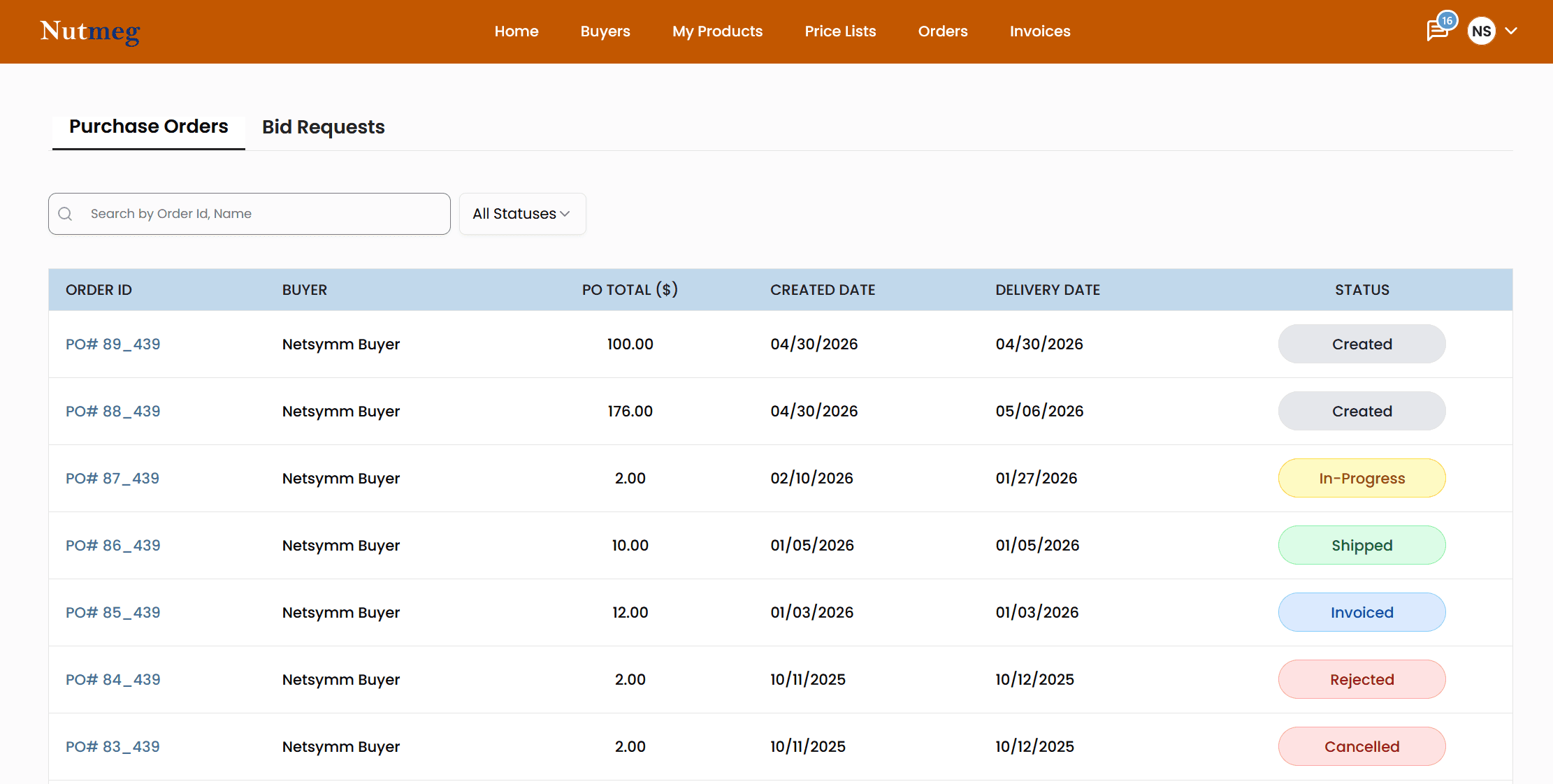
My biggest goal for the Orders page was making the data table more approachable. Since the data itself wouldn't change, I leaned on typography hierarchy and status color coding to help users quickly access, analyze, and act on key information. The changes ensure that even dense content feels navigable rather than overwhelming to users.
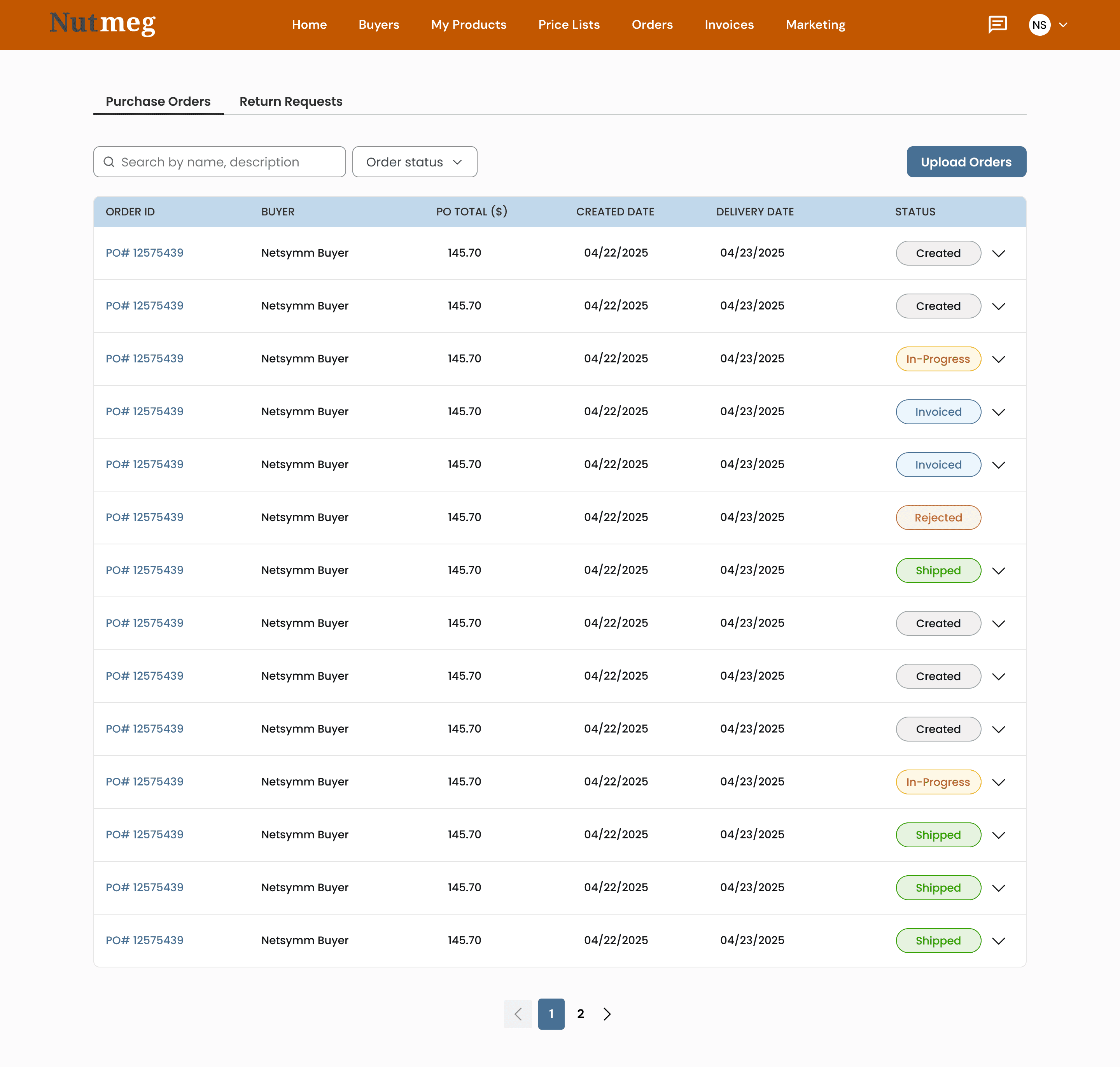
Trade-off: Suppliers needed a way to update multiple statuses quickly without navigating each PO individually. To address this, I proposed inline status dropdowns within the table, giving users that flexibility at a glance. However, once development began, we realized that the combination of a large dataset and dropdown functionality was significantly slowed page load speed. Ultimately, we made the decision to prioritize performance over the status action feature.
The next step: updating the Purchase Order. Suppliers need to provide visibility for every step of the transaction process
To ensure a smooth sales process, suppliers need to constantly keep buyers informed. To account for all stages of the PO process, I created a list of tasks and user flows to identify edge-cases while designing. This included:
-created (when buyer has checked out the items),
-in-progress, invoiced,
-shipped, delivered
-rejected (when suppliers are not able to fulfill the order due to reasons such as low stock)
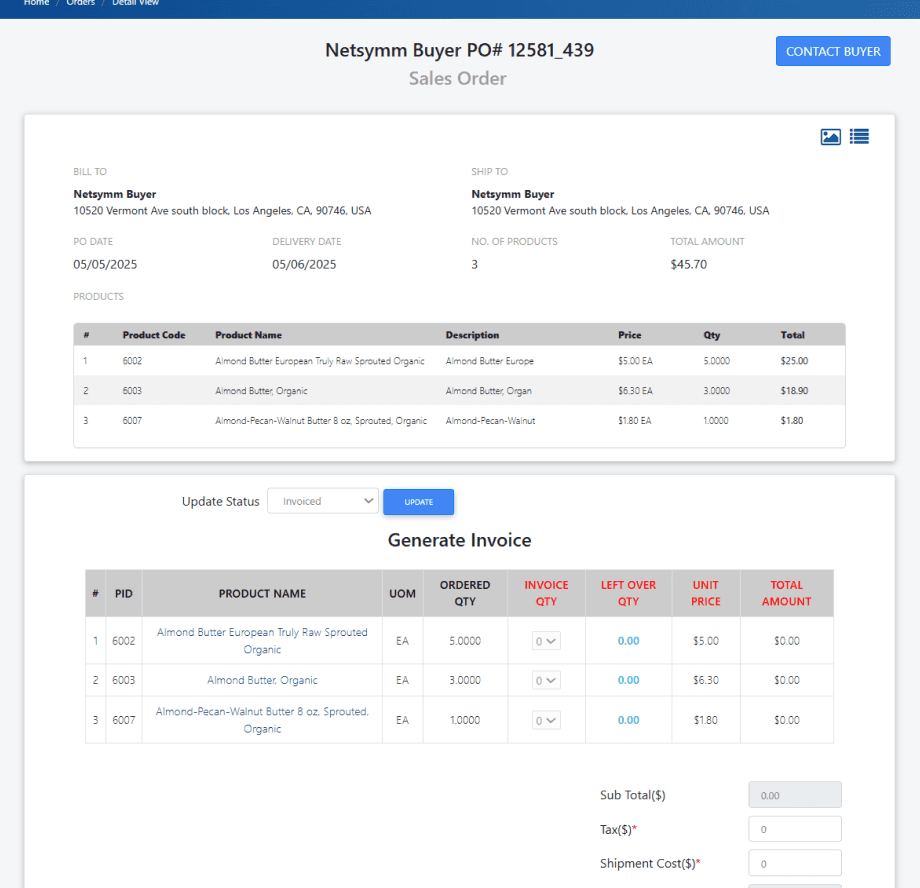
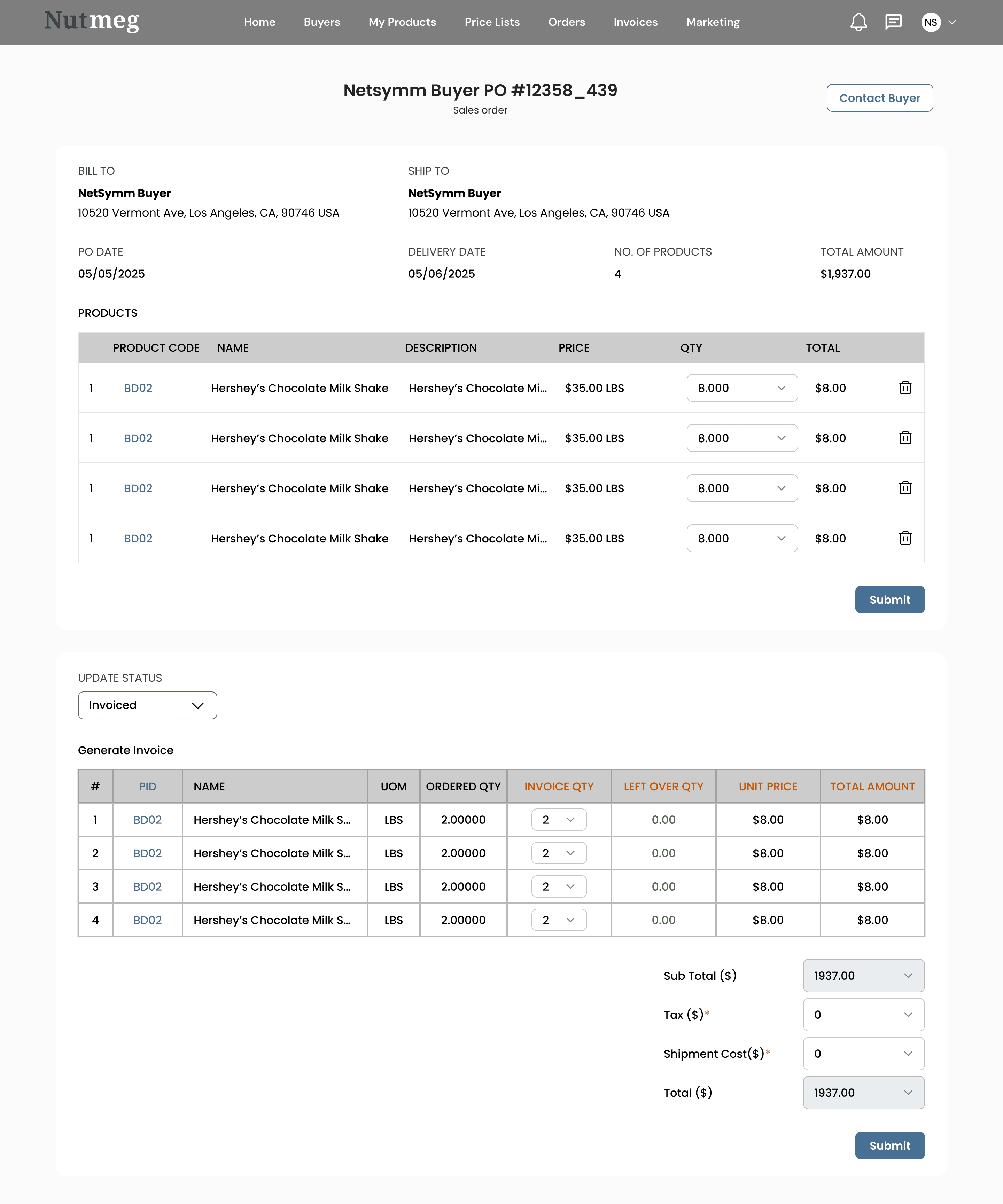
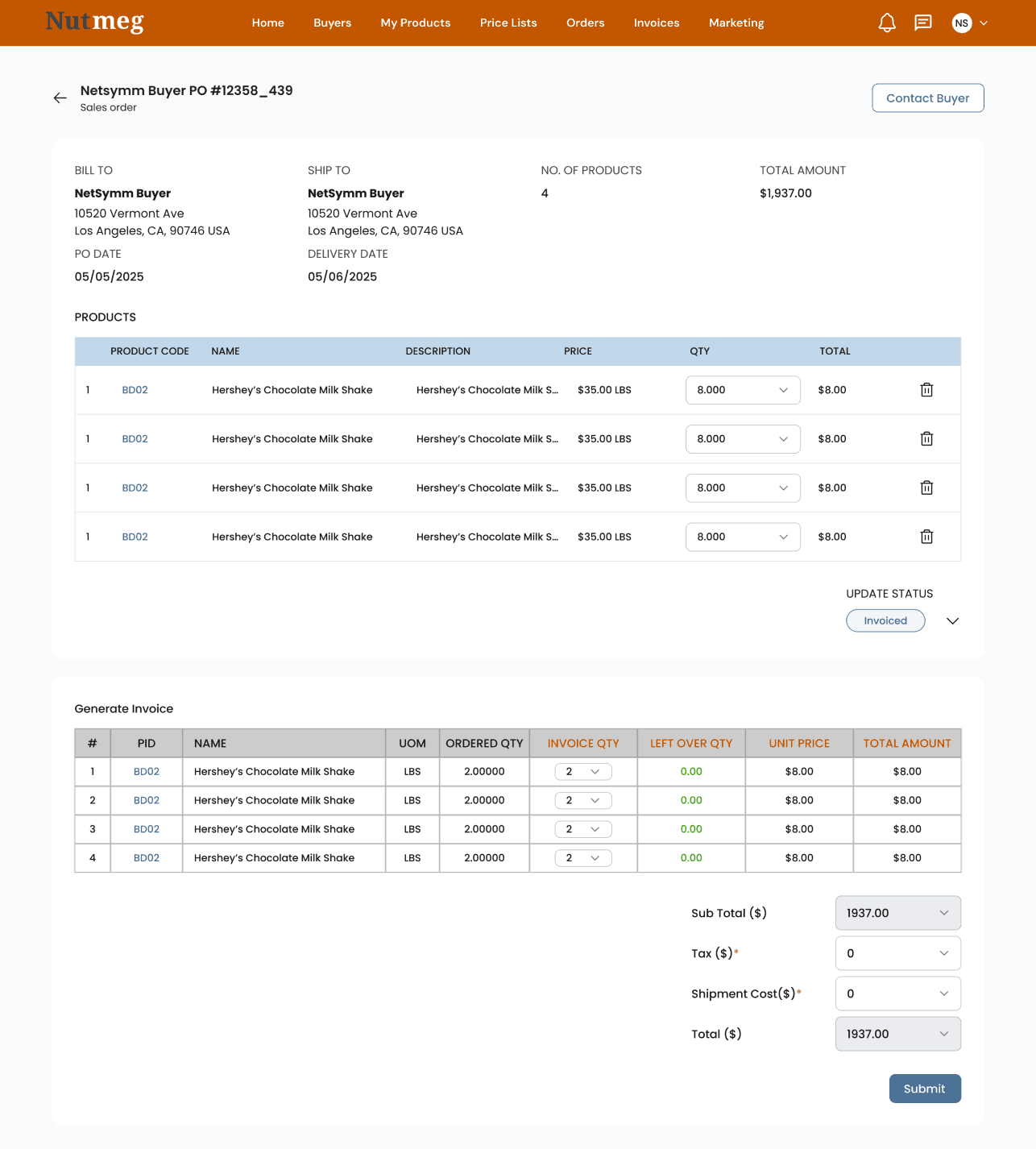

Due to time constraints, and an established design language, I opted to create high-fidelity screens directly and sought regular feedback from product and engineering teams to refine the solution
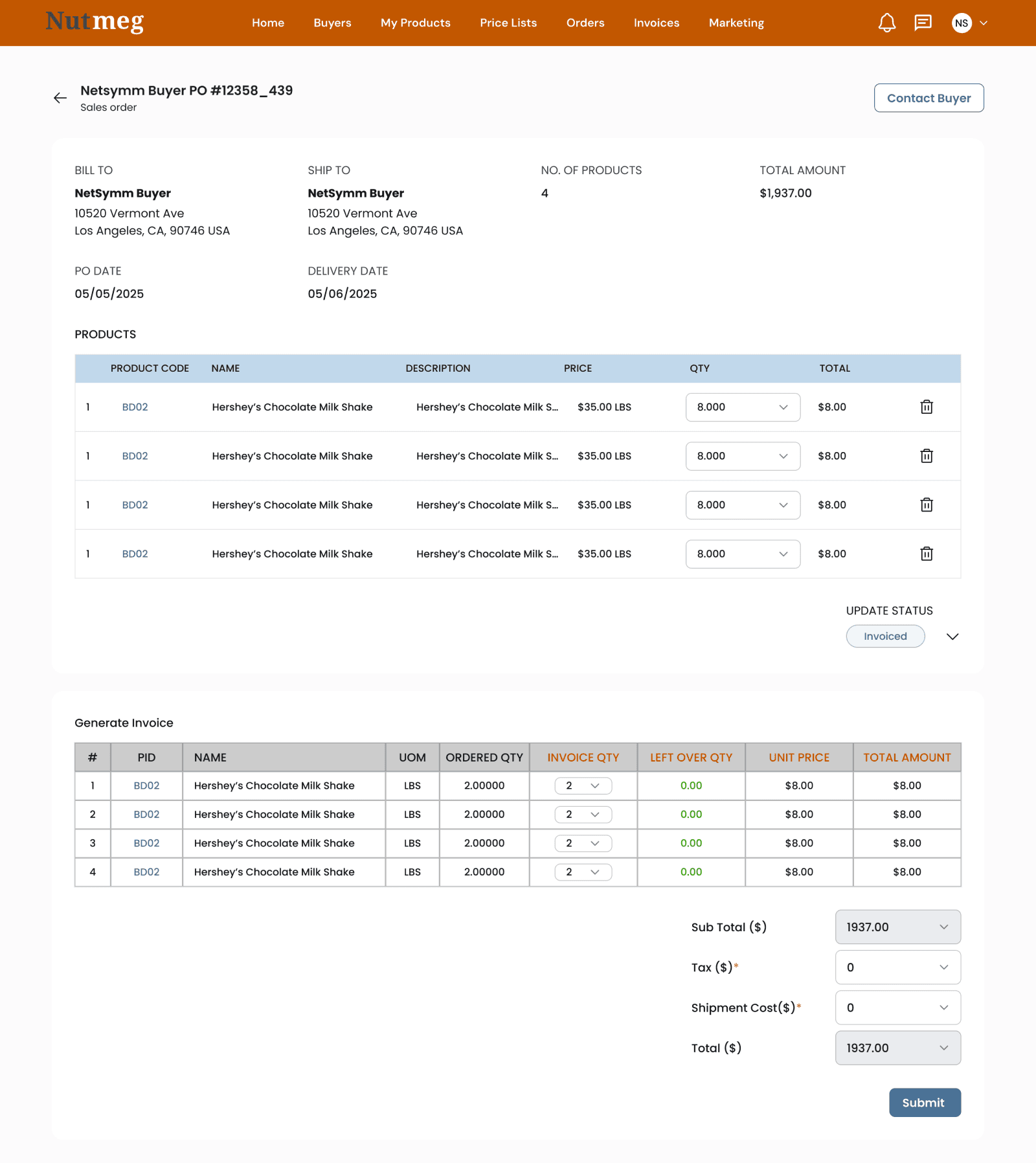
Final Designs
Orders
The design of the table was central in empowering Suppliers to process POs and manage their business. Thus I prioritized
1. Enabling Suppliers to access, analyze, and act on critical information quickly
Empowering users to find record(s) that Fit Specific Criteria
Filters need to be discoverable, quick, and powerful. Suppliers should be able to interact with the displayed information, catering to their specific need at the time.
Allow users to easily compare data
Updating Purchase Orders
The Purchase order layout lends itself to suit each step of the sales process from created, in-progress, shipped, invoiced, and cancelled.
Final Thoughts
We’ve accomplished the goal of helping Suppliers scale up their business with easier automation, sales process more efficient and cost effective, provide visibility for every step of the transaction process. The information relied heavily on data tables. All the order data, dates, buyer and fiscal information need to fit into one place. When dealing with rows and rows of data, it's important to balance performance and development with clear organization. In this case, redesigning the table to the new design system and presenting the information in an accessible manner was a great step for the Purchase Orders project.